Audio Interface vs Mixer: Which Do You Need for Home Recording?
Most home studios begin with a laptop, a microphone, and a growing suspicion that the box in the middle matters more than you first thought. The two candidates for that box, the audio interface and the mixer, look similar from across the room. Both have inputs, both have knobs, both sit between your microphone and your recording software. But they solve different problems, and choosing the wrong one usually means either paying for channels you never touch or running out halfway through a drum take.
The short version: an interface gets sound into your computer cleanly. A mixer lets you shape and combine several sounds before they ever get there. The longer version depends on what you're recording.
What an audio interface actually does
An interface is a translator. It takes the analogue signal from a microphone or instrument, converts it to digital audio, and hands it to your recording software over USB or Thunderbolt. It also does the reverse, turning digital audio back into something you can hear through headphones or monitors.
Alongside that conversion it carries the practical bits: microphone preamps, phantom power for condenser mics, instrument inputs for guitars and basses, a headphone amp, and a driver that lets you monitor what you're playing with minimal delay. Most home interfaces have between one and eight inputs. Two is the classic starting point: one for a microphone, one for a guitar or a second mic.
The important thing is what happens after conversion. Each input arrives in your software as its own track, ready to be edited, compressed or replaced without touching anything else.
What a mixer actually does
A mixer's job is to combine. Every source gets a channel strip with gain, usually some EQ, often an aux send for monitors or effects, and a fader. Those channels are summed into one or more outputs: a main stereo pair, a monitor mix, a recording feed.
That summing is the point. A mixer is built for the moment when several things are happening at once and you want to control the balance by hand: a band rehearsing, a drummer playing to a click, a podcast with three guests round a table. Many mixers now include a USB connection, but the crucial detail is how many channels that connection carries.
Start with the input count, not the feature list
Before comparing specifications, answer these honestly:
- How many sources will I record at the same time? Not in total. Simultaneously.
- Do they need to stay separate? A drum kit wants four tracks; a summed stereo drum mix is very hard to fix later.
- Are they microphones, instruments, or line-level gear such as a synth or drum machine?
- Will I ever want to work without a computer switched on?
If your answer to the first question is one or two, and to the second is yes, you want an interface. If you answered three or more, or said yes to working without a computer, keep reading.
When an audio interface is the right choice
For most home recording, an interface does everything you need and stays out of the way. Choose one if:
- You record one or two sources at a time: vocals, guitar, a keyboard, a single mic on an amp.
- You want every input on its own track in your software.
- You want to monitor through plugins while you play, which needs a decent driver and low latency.
- You're tight on desk space. Interfaces live in a laptop bag; mixers need real estate.
- You're recording voiceover or podcasts and the computer is doing the mixing anyway.
The trade-off is tactile. You'll be mixing with a mouse and keyboard, and if you like riding a fader with your fingers, an interface alone will feel like working through a letterbox.
When a mixer earns its place
Mixers shine in rooms with people in them. Buy one if you're running rehearsals and need separate headphone or monitor mixes for the players. Buy one if you're performing with hardware such as synths, samplers or a drum machine and want to jam without booting a DAW. Buy one if you like committing decisions: a little EQ and compression on the way in, printed and done.
They're also useful as a hub when you have more gear than inputs. Everything stays plugged in permanently, you patch nothing, and you still get sound from any source by pushing up a fader.
USB mixers: the middle ground
A USB mixer sends audio to your computer, so in theory you get the best of both. In practice, check the specification carefully. Many send only the main stereo mix, which means you can record a band's balance but can't separate the channels afterwards. Others send every channel individually. That single difference matters far more than the number of knobs on the top panel.
What people forget to compare
- Drivers and latency. A clean, stable driver is worth more than an extra feature. Search for user reports on the specific model, not just the brand.
- Preamp quality. Gain should stay clean before it gets noisy. If you record quiet sources such as a ribbon mic or a soft vocalist, this is the spec that counts.
- Monitoring. Do you need more than one headphone mix? Interfaces with two headphone outputs are rare; mixers with several are normal.
- Expansion. An interface with an ADAT input can grow later. A mixer generally can't.
- Power and space. Mixers need a socket and a shelf. Some interfaces run from the computer alone.
- Workflow. Interfaces keep everything editable. Mixers commit decisions early. Neither is better; pick the one that matches how you like to work.
Costs, and where the money actually goes
Budget interfaces are simple devices, and they get cheaper with fewer inputs, so a solid two-channel model costs far less than a decent eight-channel mixer. Mixer money buys channel count, physical controls and preamps. You're paying for metal and circuitry, not software. Where the two overlap, you're often paying for similar converters and preamps in different packaging.
Buying used is normal in this corner of music gear, and usually sensible. Test faders for crackle, check every input with a microphone you know works, and confirm any bundled software licence is transferable. If this purchase is stretching your budget, buying from a retailer with a clear returns policy is worth more than saving a little on a private sale.
How to decide in ten minutes
- Write down the maximum number of sources you'll record at once. Be pessimistic.
- If that number is one or two and everything needs its own track, buy an interface with that many inputs, plus one spare.
- If it's three or more, or you need hands-on control for rehearsals and live work, look at mixers, and check whether the USB side sends individual channels.
- If you genuinely need both, buy the interface first. It's the part that makes recording possible; a mixer can be added later to make playing more enjoyable.
- Spend whatever is left on the room and the microphone. They change your recordings more than an extra channel ever will.
Whichever you pick, learn it properly before adding anything else. An interface with two inputs and a microphone you understand will out-record a desk full of channels you've never quite got round to reading the manual for.
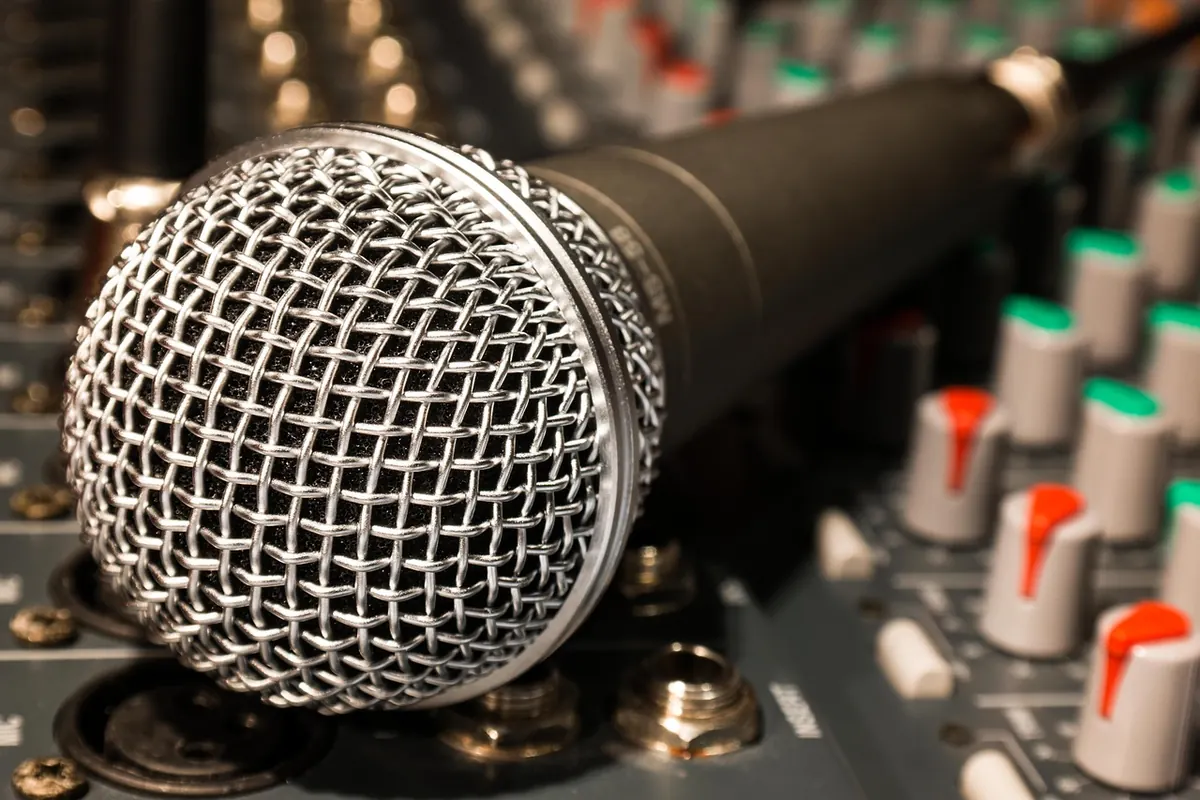
Photo: Didgeman / Pixabay
You Might Also Like
A practical seasonal checklist for festival sets: picking material by slot, weatherproofing gear, surviving travel and reading a rolling crowd.
Two-step drums, chopped vocals and sub-heavy bass are filling clubs again. A look at why UK garage returned, who is pushing it, and how to make it.